The conversation around AI seems to have changed dramatically in a very short space of time.
A year ago, many people were asking whether AI would replace workers. Today, I am increasingly hearing concerns about cost, reliability, trust, and the skills needed to use these tools effectively.
Job seekers and learners are becoming more cynical saying things like “What’s the point? AI is going to take our jobs as soon as we get them!”, or “AI is filtering us out of the application process”.
People are becoming more and more distrusting of AI, almost scared to believe anything they see, or even hear.
When I share my creative work, many ask “Did AI do that?”, which is a fair question really; those that know me don’t ask that question, because they know I have honed my Photoshop, DTP, Layout and eLearning design skills over decades, so the likelihood is that it’s my work, maybe with some AI input.
I’ve even gone so far as to document my process for creating images, graphics and animation.
I’ve been told several times that I’m not needed to provide or teach these skills anymore, because AI can do it all.
Now, what I’m hearing is that AI is getting too expensive. One company has even cancelled their AI subscriptions and hired 2 people instead.
Part of the problem is that users burn through credits, or run up a huge bill, because they’re not yet adept at using the tools. Instead of planning first and considering potential limitations, they dive straight in, then spend time and money revising outputs, correcting misunderstandings, and reworking instructions while the costs keep mounting.
What happens to these projects when AI is unavailable, stops working, or becomes too expensive? Do these people have the skills to continue building the project in its current state, in-budget, and on time?
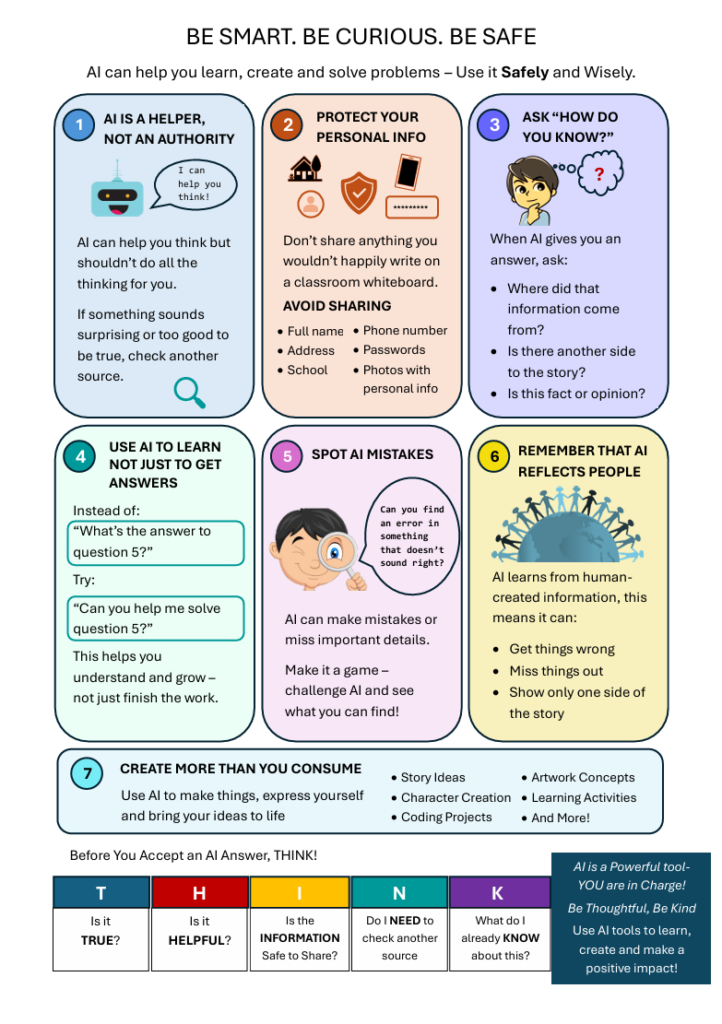
Artificial Intelligence is becoming part of everyday life, and young people are growing up with tools that can answer questions, generate content, and help with learning in ways previous generations never experienced.
Used well, AI can be a valuable support tool. Used poorly, it can create dependency, reduce critical thinking, and make it harder to develop important skills and confidence.
This guide is intended for parents, carers, educators, and young people themselves. It offers a calm, practical perspective on how AI can be used to support learning, creativity, and curiosity, while still encouraging the development of the human skills that matter most.
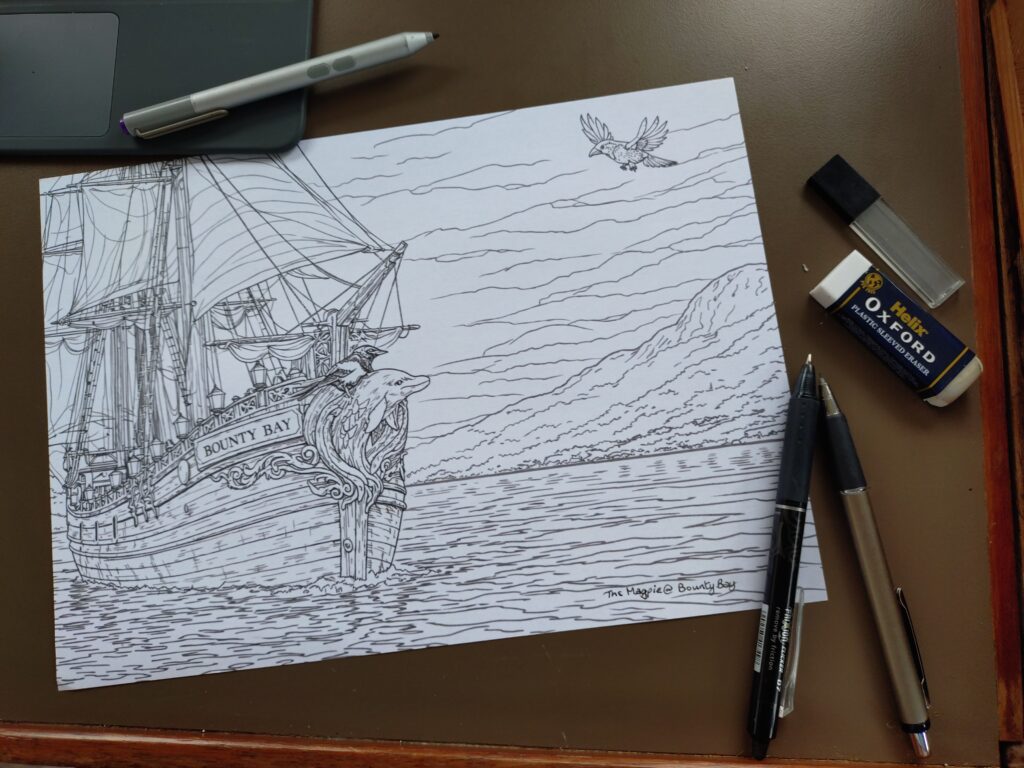
My boat is not a pirate ship, but I imagined what Bounty Bay would look like if it were. What started as a simple sketch quickly became the first glimpse of a much bigger world.
Adding colour and personality
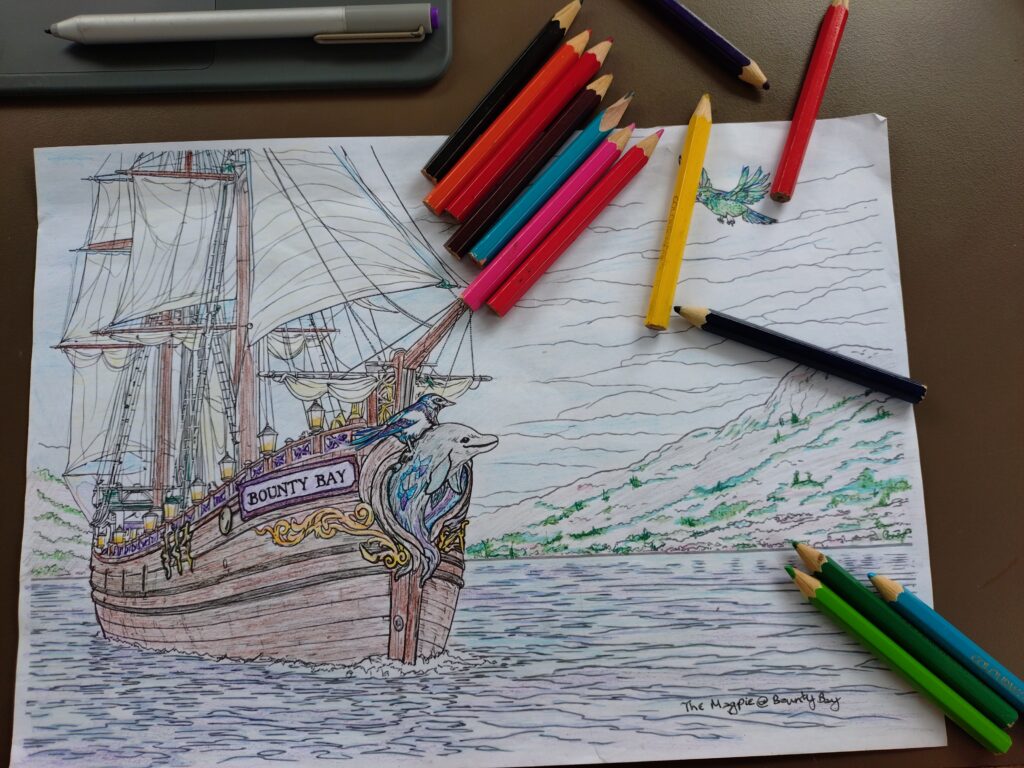
Once the sketch was there, I started adding colour and seeing what happened. Nothing fancy — just imagination, experimentation, and the little coloured pencils that seem to follow me everywhere. Looking back now, some of the colours changed later, but this was the point where Bounty Bay began to feel less like a drawing and more like a world.
This was also the point where the ideas started to grow beyond the ship itself. Characters began to appear, stories started forming, and I found myself imagining what life aboard Bounty Bay might be like.
Finding the world
This was the point where I stopped refining a ship and started building a world. The colours deepened, the atmosphere found its place, and Bounty Bay became something larger — a home for creativity, stories, experiments and ideas that didn’t need to fit neatly into one box.
Since then, Bounty Bay has inspired everything from artwork and merchandise to sea-shanty projects, pirate-themed learning resources and the beginnings of a much larger creative world.
Captain’s Log:
On reflection, I’m glad I followed the idea rather than worrying where it fit. Bounty Bay has slowly become a place where creativity, learning, stories and experiments can live side by side — and I suspect the journey is only just beginning.
I didn’t move onto a boat to become more productive.
I did it for peace, simplicity, and a life that felt more grounded and intentional. What I didn’t expect was how profoundly it would change the way I think, solve problems, and work creatively.
Living on the water slows everything down in the best possible way. There are no constant sirens, no rush-hour energy, no endless stream of interruptions. Instead, there’s weather, light, tide, quiet, routine — and time to actually think.
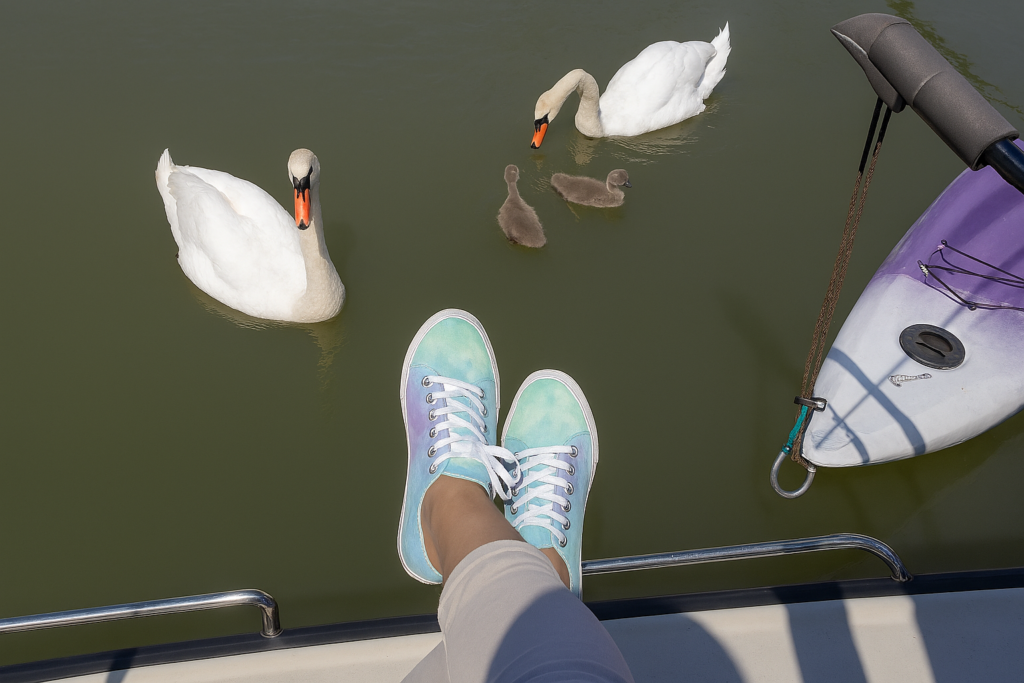
I have often had my best ideas while filling my water tank or sitting outside on my step having breakfast, watching the birds on the water or boats getting ready for the day ahead.
Over time, I began to notice something surprising: the calmer and simpler my environment became, the clearer my thinking grew too. And with that clarity came better ideas, better decisions, and a much more creative approach to problem solving — especially in my work with technology, learning design, and digital change.
On land, it’s easy to live in a permanent state of mild urgency. Notifications, traffic, schedules, emails, noise — they keep your nervous system slightly activated all the time.
On a boat, life has a slower rhythm. You notice the light changing. You listen to the water. You plan around weather. You do things one at a time.
That slower pace doesn’t make you less productive — it makes your thinking deeper. And deeper thinking is where creative problem solving actually lives.
Sometimes, if I’m working on a tough challenge, like trying to find an error in a very large and very messy spreadsheet, or coming up with a strategy to give a client’s business a jump-start, I will park it for a while and go and do some mundane but necessary chores. This often results in a break-through moment, where I have to stop what I’m doing and go and make notes.
When you remove constant background noise — both literal and digital — something interesting happens. Your mind starts to connect dots on its own.
Ideas surface while making tea, walking the pontoon, watching the water, or doing something ordinary and repetitive.
I began solving problems without consciously trying to. The answers just arrived fully formed — not because I was trying harder, but because I was finally quiet enough to hear them.
Living on a boat quietly trains you to think in systems.
You become aware that everything is connected. If you use too much power in one place, something else stops working. If storage is badly organised, daily life becomes harder than it needs to be.
That way of thinking has directly shaped how I approach technology and digital change. I don’t look at tools in isolation — I look at how they fit into people’s real lives and workflows.
I feel more like myself living this way and I think I work better because of it.
Boat life has made me a calmer problem solver.
I don’t rush to tools, features, or fixes. I slow down. I listen. I look at the whole picture. I help people understand what’s really going on before we change anything.
That approach consistently produces better results — not just technically, but emotionally too. People feel more confident, less overwhelmed, and more in control of their digital world.
Living on the water hasn’t just changed where I live. It’s changed how I think, how I work, and how I solve problems.
In a world that’s constantly rushing, I’ve learned that the most creative answers usually arrive when you finally slow down.
Bounty Bay isn’t just where I live. It’s the place my thinking finally learned how to breathe, and my creativity bloomed.
Bounty Bay is about calm, practical work for the digital world — helping people make sense of everyday technology in a way that feels human, ethical, and grounded in real life.
I work across IT support, learning design, and everyday digital problem‑solving, and one of the most common things I hear at the moment is:
“I don’t really understand AI, but I feel like I should be using it.”
AI is suddenly everywhere — in our phones, our inboxes, our workplaces, and even our creative tools.
Some people are excited. Some are anxious. Many are confused.
And almost everyone is hearing mixed messages about what AI can and can’t actually do.
So this is my calm, practical take on what AI actually is, what it’s genuinely useful for, and how to use it in a way that’s ethical, grounded, and safe.
AI Is Not a Magic Truth Machine
There are many myths about what AI is capable of, and a lot of uncertainty about what information or images we can trust.
AI doesn’t “know” things in the human sense. It predicts words and patterns based on enormous amounts of training data. That’s why it can sound confident while being completely wrong.
This is what people now call hallucination — when an AI invents facts, sources, quotes, or details that simply aren’t true.
That’s why:
You should stick with trusted sources
You should always cross‑check anything important
You should never assume AI output is automatically factual
Some people use AI to avoid doing the work themselves. That can be a dangerous game.
Are they fact‑checking?
Are they noticing when the AI is hallucinating?
Are they getting credit for work generated by a machine while colleagues are doing legitimate, careful work?
AI can be a powerful assistant — but it is not a replacement for thinking, judgement, or professional responsibility.
My Personal Stance on AI
AI can be a great time‑saver and can increase productivity massively — if it’s used properly and the information is verified before publishing, sharing, or acting on it.
I see AI as:
A thinking partner
A drafting assistant
A research helper
A productivity tool
Not as an authority. Not as a truth engine. Not as a substitute for human care and accountability.
“People Think I’ve Lost the Plot…”
People think I’ve lost the plot because I say please and thank you to my AIs.
I was brought up to be polite — but more importantly, I’ve learned something practical:
When you speak to AI naturally, you get better results.
If you talk to it like a human, you:
Explain context more clearly
Ask better questions
Refine things more thoughtfully
Don’t get stuck over‑engineering prompts
It becomes a conversation, not a command line.
I also know that when you tell an AI it is an expert at something, you are much more likely to get back something factual, structured, and usable.
For example:
“You are an experienced Microsoft 365 trainer. Please explain this in simple, non‑technical language for a beginner.”
Knowing a few good scripts like this will take you a very long way.
Choose the Right Tool for the Job
There isn’t one “best” AI.
There are only tools that are better or worse for the job you’re trying to do.
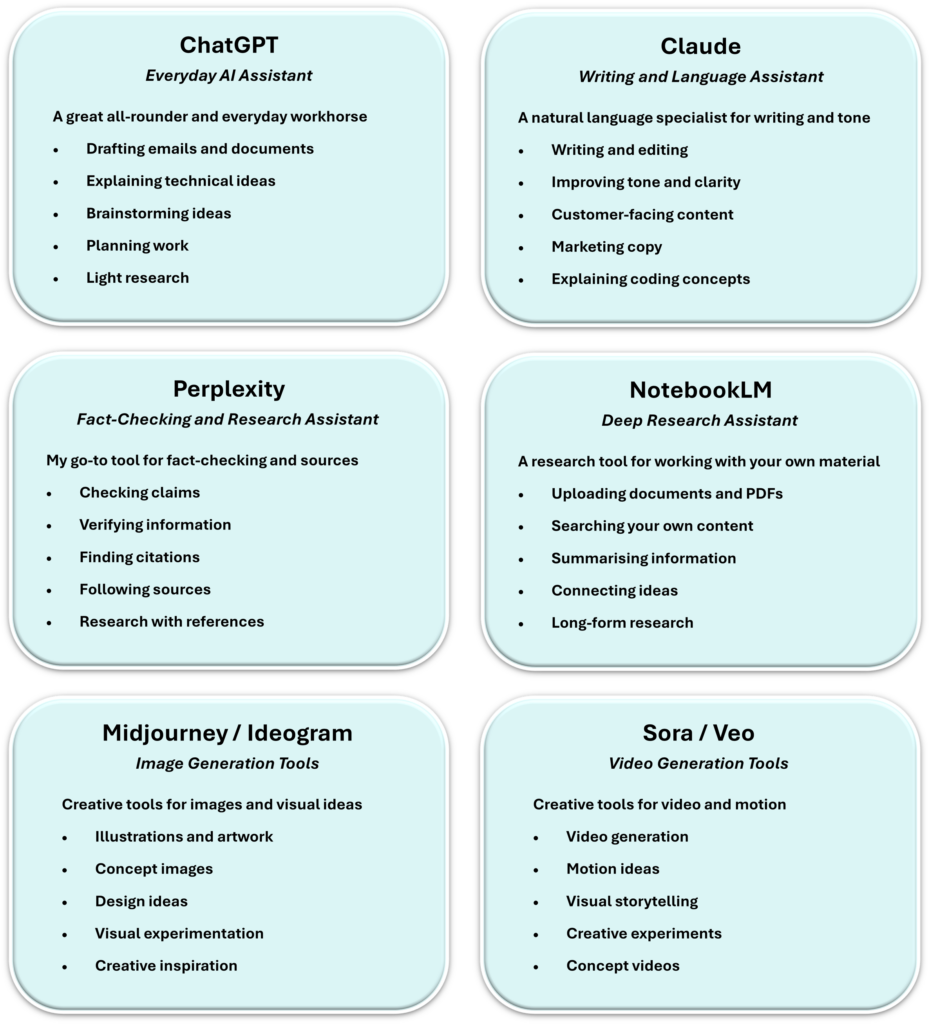
You can get results from sticking to one tool — but it’s far more effective to play to the strengths of different models.
Here’s my calm, real‑world shortlist:
Each one has different strengths for images, video, music, and creative experimentation.
A Real Example: When AI Gets It Almost Right (But Still Wrong)
I recently asked an AI image tool to:
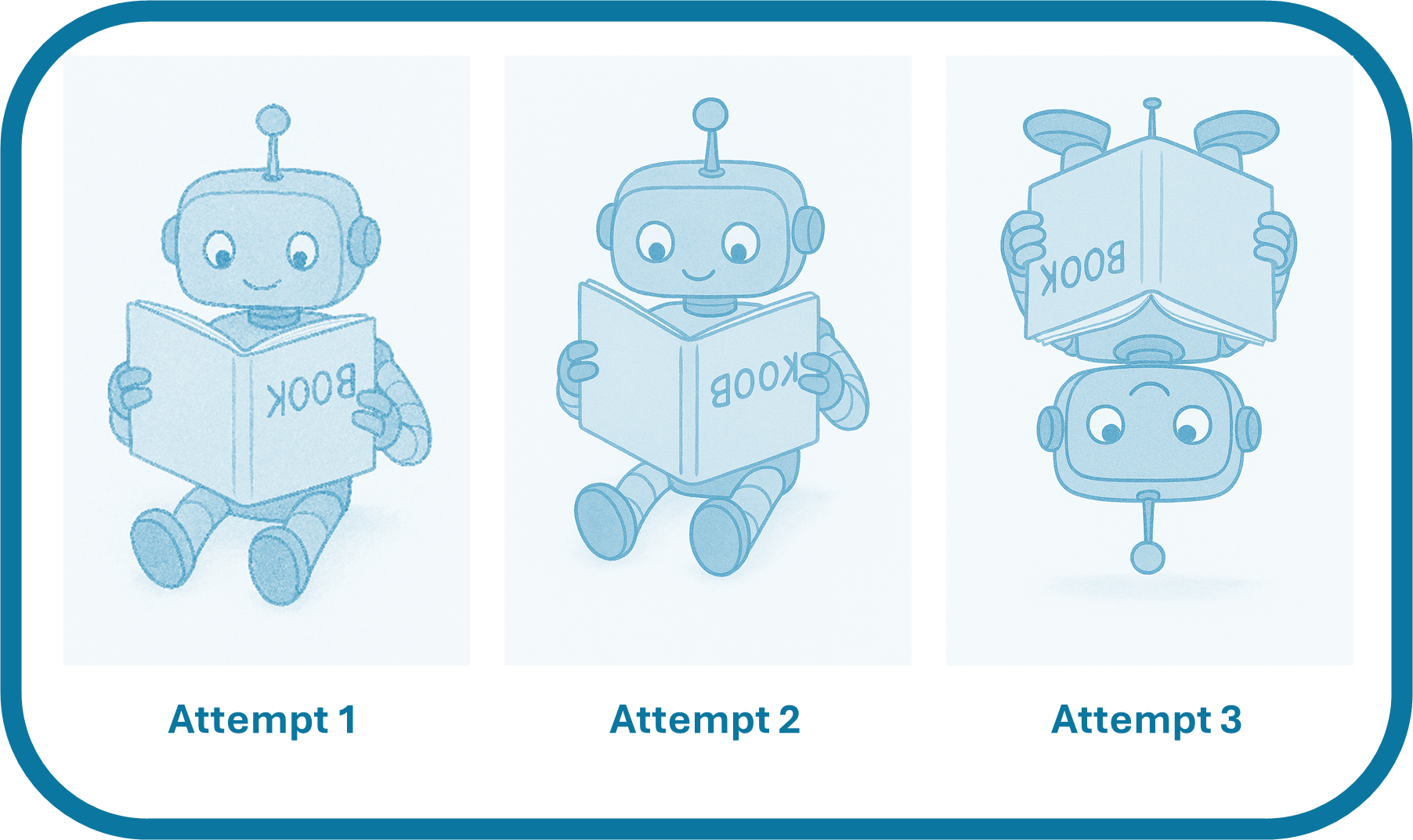
“Generate a cartoon image of a robot reading a book upside-down.”
What I got back was… entertaining.
In the first attempt, the robot was reading a book the right way up — the text was just mirrored.
In the second attempt, the same thing happened again.
In the third attempt, the robot itself was upside-down — but the book was still oriented correctly to the robot.
So technically, the robot still wasn’t reading an upside-down book at all.
It looked right at a glance. It felt like progress. But it still wasn’t what I’d hoped for.
This is a perfect example of how AI can sound (or look) confident while quietly getting the details wrong.
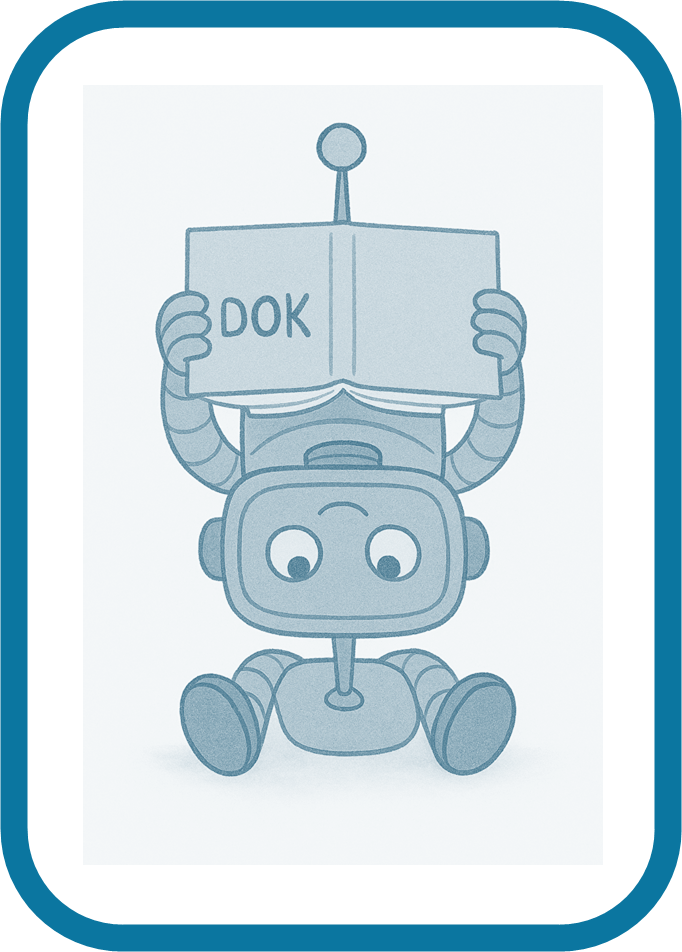
Postscript: I tried once more.
This time the robot held the book above its head, almost. The text was nonsense. Half of the robot was still upright.
At this point I stopped.
AI wasn’t learning what I meant. It was just generating new and increasingly strange guesses.
Which is exactly why human judgement still matters.
A Serious Word on Privacy and Personal Data
Whichever AI tools and models you choose to use:
Do not — I repeat — do not copy and paste personal or sensitive information into any AI tool.
Always redact first.
This includes:
Names
Email addresses
Phone numbers
Client details
Financial information
Medical information
Anything you wouldn’t post publicly online
AI tools are not private notebooks. They are external services.
A Calm Conclusion
Used thoughtfully, AI can be an extraordinary assistant.
It can help you:
Think more clearly
Work more efficiently
Learn faster
Draft better
Explore ideas more creatively
Used carelessly, it can:
Spread misinformation
Create false confidence
Undermine trust
Expose private data
My approach is simple:
Be curious. Be critical. Be ethical. Be human.
AI should make your work better — not lazier, riskier, or less thoughtful.
How I Can Help
If AI feels interesting but also slightly overwhelming, you’re not alone.
Most people I work with aren’t looking to become AI experts. They just want to:
Work more efficiently
Reduce digital friction
Feel more confident using modern tools
Avoid making mistakes with data, accuracy, or privacy
This is where I can help.
Depending on your needs, I offer calm, practical support such as:
Everyday AI guidance Helping you understand what tools are useful for your role or business, and how to use them safely and ethically.
AI for productivity Using AI alongside tools like Microsoft 365 to draft emails, summarise information, organise work, and think more clearly.
Digital confidence building One‑to‑one or small‑group support to help you feel calmer and more capable with everyday technology.
Training and learning design Bespoke guidance, workshops, or learning resources for teams who want a grounded, non‑hype introduction to AI and modern digital working.
I don’t sell tools. I don’t push trends. I don’t promise magic.
I help people use technology thoughtfully, responsibly, and with confidence.
A Bounty Bay Closing Note
Bounty Bay exists to help people feel calmer and more confident in a digital world that often feels noisy, rushed, and overwhelming.
Whether I’m working with someone on Microsoft 365, everyday IT problems, digital organisation, learning design, or newer tools like AI, my approach is always the same:
Make things clear
Make things usable
Make things ethical
Make things human
If you’re curious about using AI in a thoughtful, practical way — or if you’d like help building digital confidence more generally — you’re very welcome to explore the rest of Bounty Bay.
This isn’t about chasing trends.
It’s about doing calm, practical work for the digital world.
Logbook
This section offers a summary of the logbook, presenting a range of articles, perspectives, and materials to educate and motivate readers.
The conversation around AI seems to have changed dramatically in a very short space of time. A year ago, many people were asking whether AI would replace workers. Today, I am increasingly hearing concerns about cost, reliability, trust, and the skills needed to…
Artificial Intelligence is becoming part of everyday life, and young people are growing up with tools that can answer questions, generate content, and help with learning in ways previous generations never experienced. Used well, AI can be a valuable support tool. Used poorly,…